
Generate AI music –
locally, with your own lyrics
Style at the top, lyrics at the bottom: Qwirbel turns that into a song and puts it straight into the chat as a player. Everything is computed on your hardware – no cloud, no subscription.
Desde 60 € · pago único, sin suscripción · para Windows, Linux y macOS
Lo esencial
Style and lyrics apart
At the top you set genre, instruments and tempo; below you write the lyrics.
Cleaner singing
Optionally the lyrics are split into syllables so words are sung more clearly.
Adjustable length
From a few seconds to several minutes – with a slider in the music box.
Matching cover
On request Qwirbel paints an album cover first and delivers artwork and song together.
Music is a workflow like any other
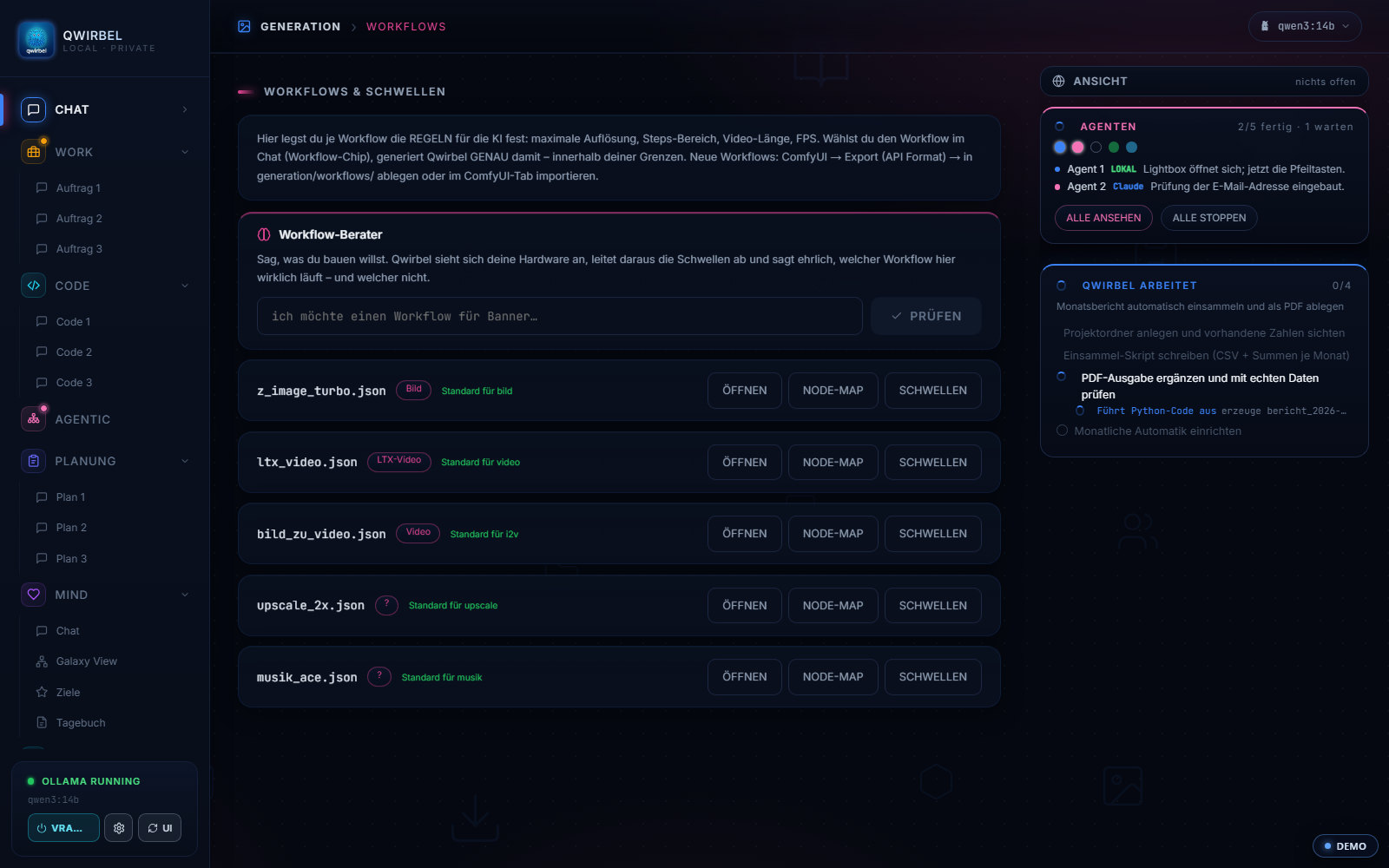
How music comes about on your machine
Above says it runs locally. Here is what with – and what that means for rights and limits.
What does the computing
For music and sound ACE-Step is used, integrated as one of the workflows in ComfyUI. The workflow appears in the list as musik_ace.json – so you can select it, set its limits, and replace it with your own if you prefer.
What you can control
Length in seconds and computing steps can be fixed. As with image and video this is not only convenience: an overly generous job occupies the graphics card until it finishes. The limit prevents that before you end up waiting.
How long a piece takes
That depends on length, steps and card. Short pieces are a matter of seconds to a few minutes; long pieces at high quality take correspondingly more. Because nothing goes over the network there is no queue and no billing per second of audio.
Who owns what comes out
The files are created on your machine and stay there. Nothing goes to us, there are no quotas and no usage reporting. What rights generally exist in AI-generated music depends on the model used and applicable law – we do not advise on that, and we claim nothing on your results.
Where it goes
Generated audio lands in your output folder like images and video, as an ordinary file. Since v2.8.9 it is also displayed properly in the generation tab – before that audio ended up in an image field and stayed silent.
Lo que la gente pregunta sobre esto
How do I control how the song sounds?
Through the style fields: genre, instrumentation and tempo. Lyrics go into a separate field so the AI does not mix music and words. You can also enable syllable splitting for clearer pronunciation.
How long can a track be?
You set the length with a slider – from short snippets to several minutes. Longer pieces need correspondingly more compute time.
Does music need a graphics card too?
As with image and video, generation runs through local models, and a GPU speeds it up considerably. The required models can be downloaded into the right folder with one click via the ComfyUI base.
May I publish the music?
The files are created on your machine and never transmitted to us. Whether and how you may publish them depends on the model used, its licence and applicable law – you need to check that case by case.
Qwirbel también sabe hacer esto
Todas las capacidades viven en la misma aplicación: una compra, una clave.