
Edit images
without handing them over
You describe the change in plain words and give Qwirbel up to three images: one as the source, two more as references – for example a person, a piece of clothing and a background. Everything is computed on your own GPU; the images never leave your machine.
Alkaen 60 € · kertamaksu, ei tilausmaksua · Windowsille, Linuxille ja macOS:lle
Olennainen
Combine up to 3 images
One image as the source, two more as references. Merge people, objects or styles from different images instead of describing everything from scratch.
Words instead of sliders
“Put the person in front of the background from image 2” is enough – Qwirbel builds the workflow for it.
Nothing is uploaded
Source and result stay on your PC. No external server ever sees your photos.
You stay in control
Set format, resolution, steps and duration yourself – or let Qwirbel decide.
Just paste a screenshot
An image from the clipboard lands straight in the input line with Ctrl+V – with a preview before you send it. No saving it first, no file dialog.
Three images, one job
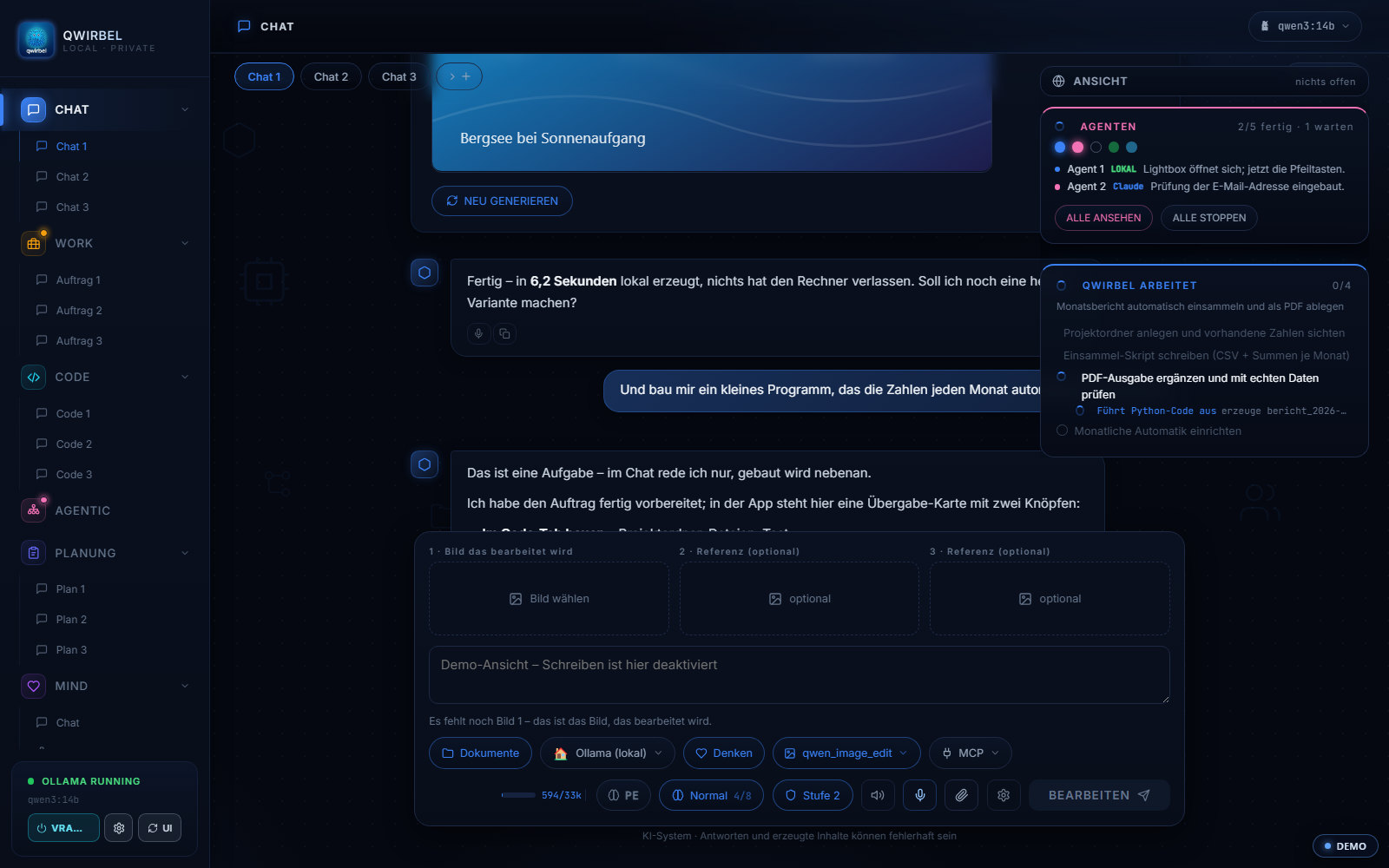
How changing an image works
Above is what is possible. Here is how the three fields work together and what happens to your files.
What goes into the three fields
The first field takes the source – the image to be changed. The other two take references: a style, a background, an object to be adopted. What should happen you describe in words. The combination of source plus two references is what sets this apart from a plain text-to-image workflow.
Which models can do it
Qwen-Image-Edit is the workhorse family here – built specifically for changing existing images and strong when there is text in the picture. The other image families are available as well; which version fits your card is shown by the same filter as for image generation.
The source image survives
The result arrives as a new file beside it; the source is not overwritten. That is deliberate: an editing step that consumes the original cannot be repeated on the second attempt.
A screenshot is enough as input
Since v1.27 an image can be pasted straight into the input line with Ctrl+V – from a screenshot tool as well. It appears as a preview before you send, is stored as a real file, and can be used further afterwards: view it, edit it, take it as the first frame of a video.
What stays on the machine
Source, references and result live on your drive. There is no upload, no preview at a provider and no copy used for training. Anyone editing business images therefore needs no contract with a third party for it.
Mitä ihmiset kysyvät tästä
How do I get an image into the chat?
Two ways: through the file picker – or simply with Ctrl+V from the clipboard. A screenshot or a copy from your browser lands straight in the input line, with a preview before you send. Qwirbel stores it as a real file and can keep working with it: view it, edit it or use it as the opening frame for a video.
What do I need for this?
A GPU with enough memory and the ComfyUI base, which Qwirbel downloads with one click in the Models tab. After that everything runs locally.
How many images can I add?
Up to three: one source image and two optional references. Qwirbel shows you in the chat which image sits in which slot.
Do my images go to a cloud?
No. Editing runs on your own hardware. It works exactly the same without an internet connection.
Saanko julkaista tulokset?
That depends on the model's licence and on the rights to your source images. Check it case by case – we deliberately give no legal advice here.
Tämänkin Qwirbel osaa
Kaikki kyvyt asuvat samassa sovelluksessa – yksi osto, yksi avain.