
要点
Natural voices
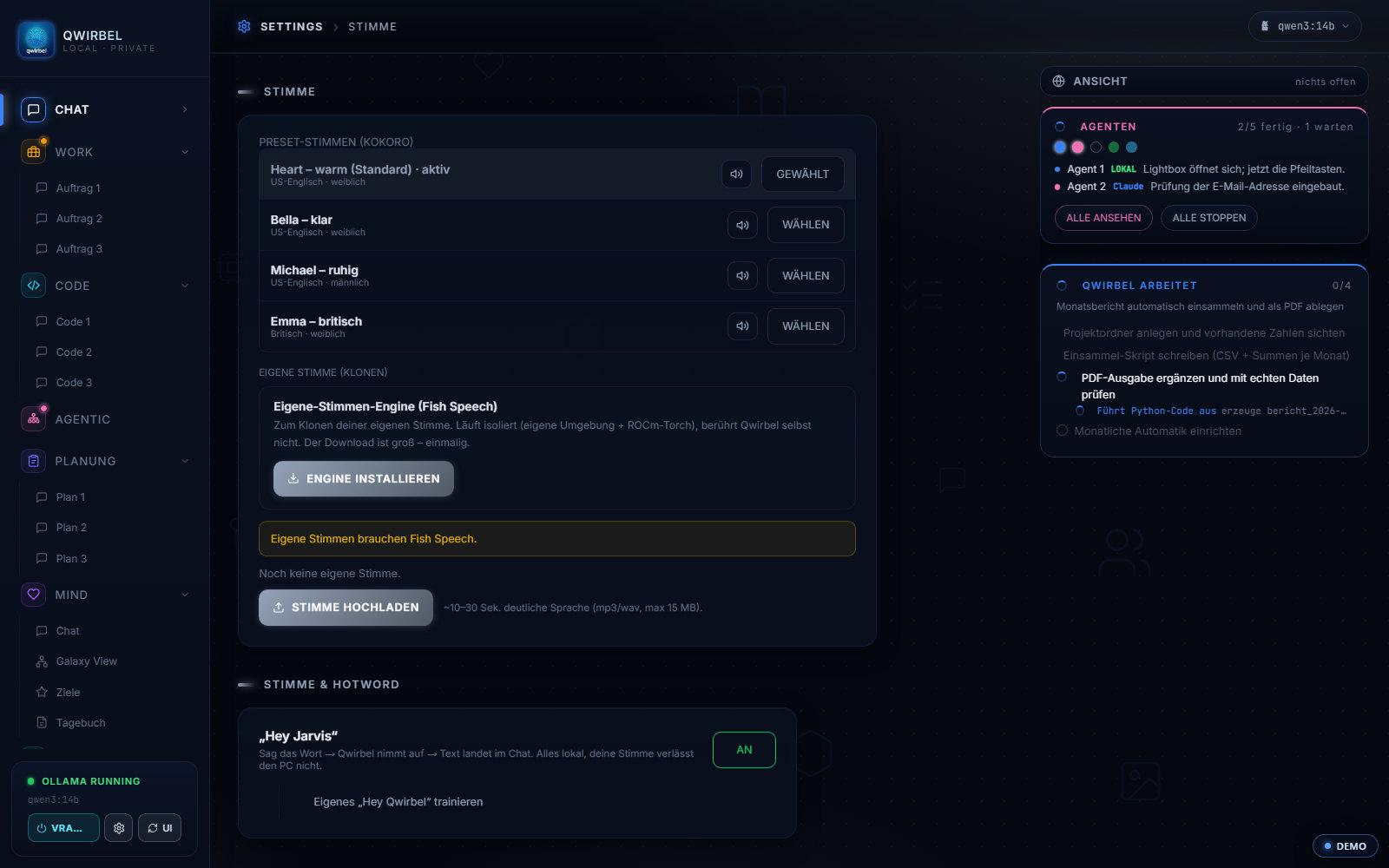
A selection of Kokoro voices, previewable and saveable as default.
你自己的声音
A short recording (about 30 seconds) is enough to create your own voice clone.
Dictation instead of typing
The text is there while you speak, not after you let go: a fast model writes along, an accurate one confirms shortly after. You can fix the language (German, English or automatic) – with the wrong setting speech recognition quietly translates into English instead.
On call
The “Hey Qwirbel” hotword brings the window to the front.
Pick a voice or clone your own
Reading aloud and dictation – how it works technically
Above is what it can do. Here is what does the computing and where the hardware limits sit.
The voices and where they come from
54 ready-made voices to choose from, playable before you decide – male, female, calmer, brighter. Whichever you like becomes the default. Computing happens on your device; no text goes to a speech service, and it works without a network too.
你自己的声音
A recording of about thirty seconds produces a voice that sounds like yours. This needs suitable hardware – Qwirbel says beforehand whether yours is enough, rather than trying and failing. The recording stays on your device and is processed there: it goes to no service that could learn something of its own from it.
Dictating while you speak
The text appears as you speak, not afterwards. Since v1.27 recognition runs on a considerably leaner model – around 200 MB instead of 1.5 GB, at the same intelligibility. The language is selectable (German, English or automatic); with the wrong setting recognition quietly translates into English.
不用手也能开始
The wake word brings the window to the front and starts the same dictation as the microphone button. It is recognised on your device – there is no permanent connection to a speech service listening in.
声音送到哪里
The voice can be sent to the speakers while everything else stays in the headset. Handy when a meeting is running alongside, or someone should hear along without you taking the headset off.
关于这一点大家会问
Are my voice recordings sent anywhere?
No. Both speech output and speech recognition run locally on the device. There is no background voice service receiving recordings – that is the key difference from the big providers' assistants.
How good is the clone of my voice?
The clone uses a recording of roughly 30 seconds. How convincing it turns out depends on recording quality and your hardware – it is an imitation, not a perfect copy.
Can Qwirbel read answers aloud automatically?
Yes, that can be switched on and the voice is freely selectable. There is also audio routing so Qwirbel's voice can go to the speakers while everything else stays on your headset.
Does this work without internet?
Yes. Once the speech models are downloaded, reading aloud and dictation work fully offline.