
Tidy up, and see
what's out there about you
The privacy area is its own toolbox: find junk, clear out autostart entries, look at network connections, check pending updates – and see whether your addresses show up in known data breaches.
From 60 € · one-time payment, no subscription · for Windows, Linux and macOS
The essentials
Junk and app leftovers
Temporary files, remains of uninstalled programs and recycle bin contents are listed – you decide what may go.
Clear out autostart
What starts up uninvited? The list shows it and entries can be switched off. Often the biggest lever for a faster boot.
Network in view
Which programs talk to the outside? The network view makes that visible instead of hiding it.
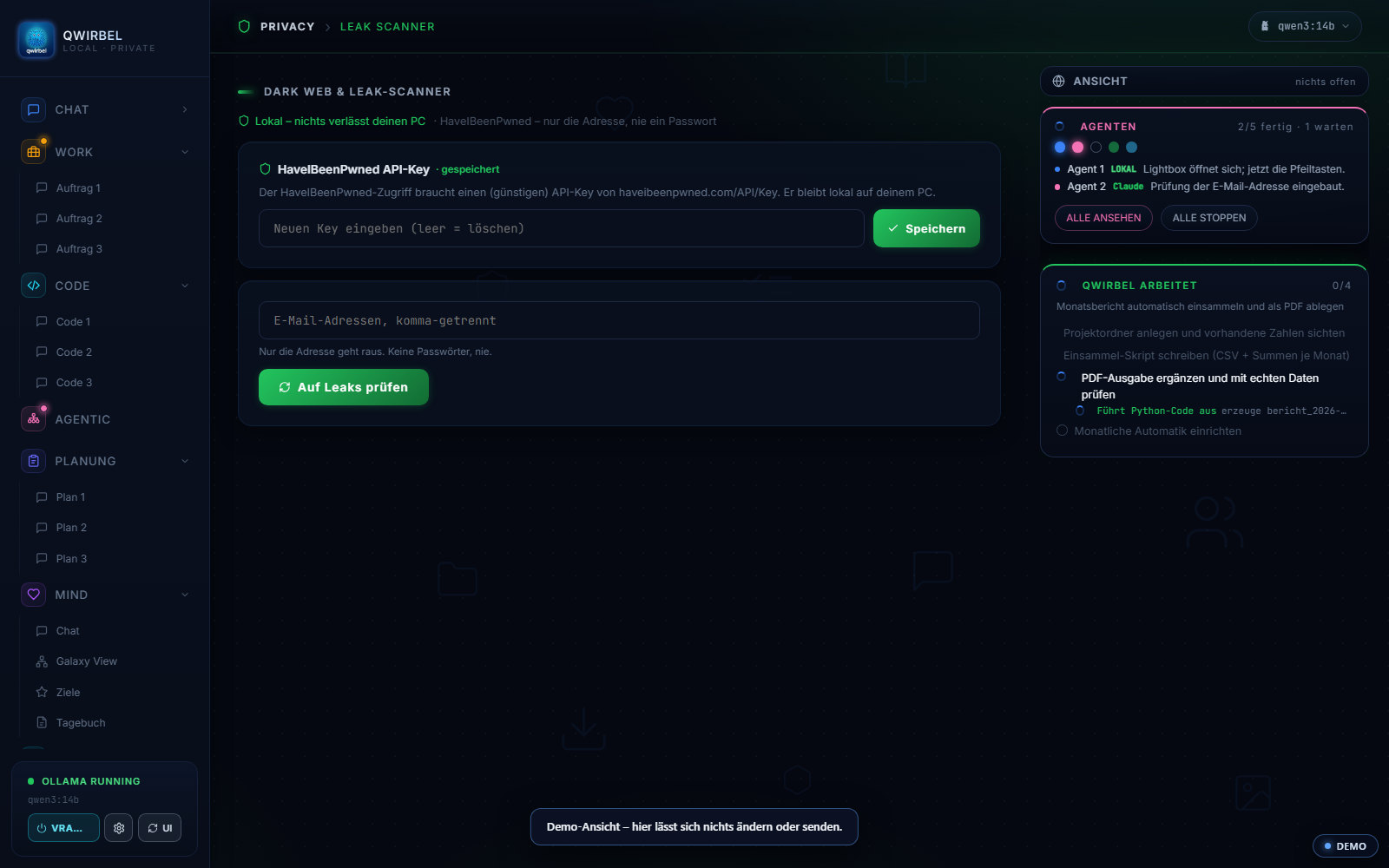
Leak check without sending passwords
Checked via k-anonymity: only a fragment of a hash is compared. Your password never leaves the machine.
Check without giving anything away
What the checks look at – and what they are not
Above is what they find. Here is how they work and where their limit sits.
What is examined on the machine
Which pre-installed software runs along, what opens itself at startup, and which programs call home. The result is a list with an assessment – nothing is decided on its own. What goes is your decision.
How the leak check works without giving you away
It checks whether your email address appears in a known data breach. The address itself does not leave your machine: only a short part of its hash goes out, and the answer does not disclose what was asked. A password is never transmitted.
What it explicitly is NOT
Not antivirus. The checks find what runs along and what calls home – they do not detect malware and replace no protection program. Anyone expecting both would end up less protected than before, because they would feel safe.
Why this fits a local program particularly well
A cleanup tool that reports its findings to a provider is a contradiction in itself – it would hand over data while checking for data protection. Here the analysis stays on the device; there is no overview on our side listing what runs on your machine.
What you hold afterwards
A list you work through yourself, and the assessment alongside. Nothing is removed automatically – with autostart entries in particular that matters, because things that are needed sit there too.
What people ask about this
Does it delete things on its own?
No. Finding is automatic, deleting happens on your click. For anything close to the system Qwirbel asks again – better one question too many than one file too few.
How does the leak check work exactly?
Your password is not sent; only a short prefix of its hash is. A list of possible matches comes back and the comparison happens on your machine. The other side never learns what you searched for.
Does this replace antivirus software?
No, and we don't claim it does. This is about cleanup and privacy hygiene, not malware detection. Your antivirus stays responsible for that.
Does Qwirbel add itself to autostart?
No – explicitly not since v1.26, by any route. That pattern is exactly what makes virus scanners strike. Viewing and disabling existing entries works as before.
Qwirbel can do this too
All capabilities live in the same application – one purchase, one key.