
Your image moves –
just like the sample video
Motion control needs two things: a reference image (who is shown) and a motion video (how it should move). Qwirbel transfers the movement from the video onto your image – locally on your GPU, without either file leaving your machine.
From 60 € · one-time payment, no subscription · for Windows, Linux and macOS
The essentials
Two inputs, one result
Image = who, video = how. Qwirbel checks upfront whether both are there and tells you clearly what is missing.
Appearance controlled separately
You can additionally describe clothing and appearance – the movement still comes from the video.
Everything stays local
Neither your image nor your motion video is uploaded. Works offline too.
Set the limits yourself
You decide resolution, duration and frames per second – or let Qwirbel pick a sensible preset.
Who and how – that is all it takes
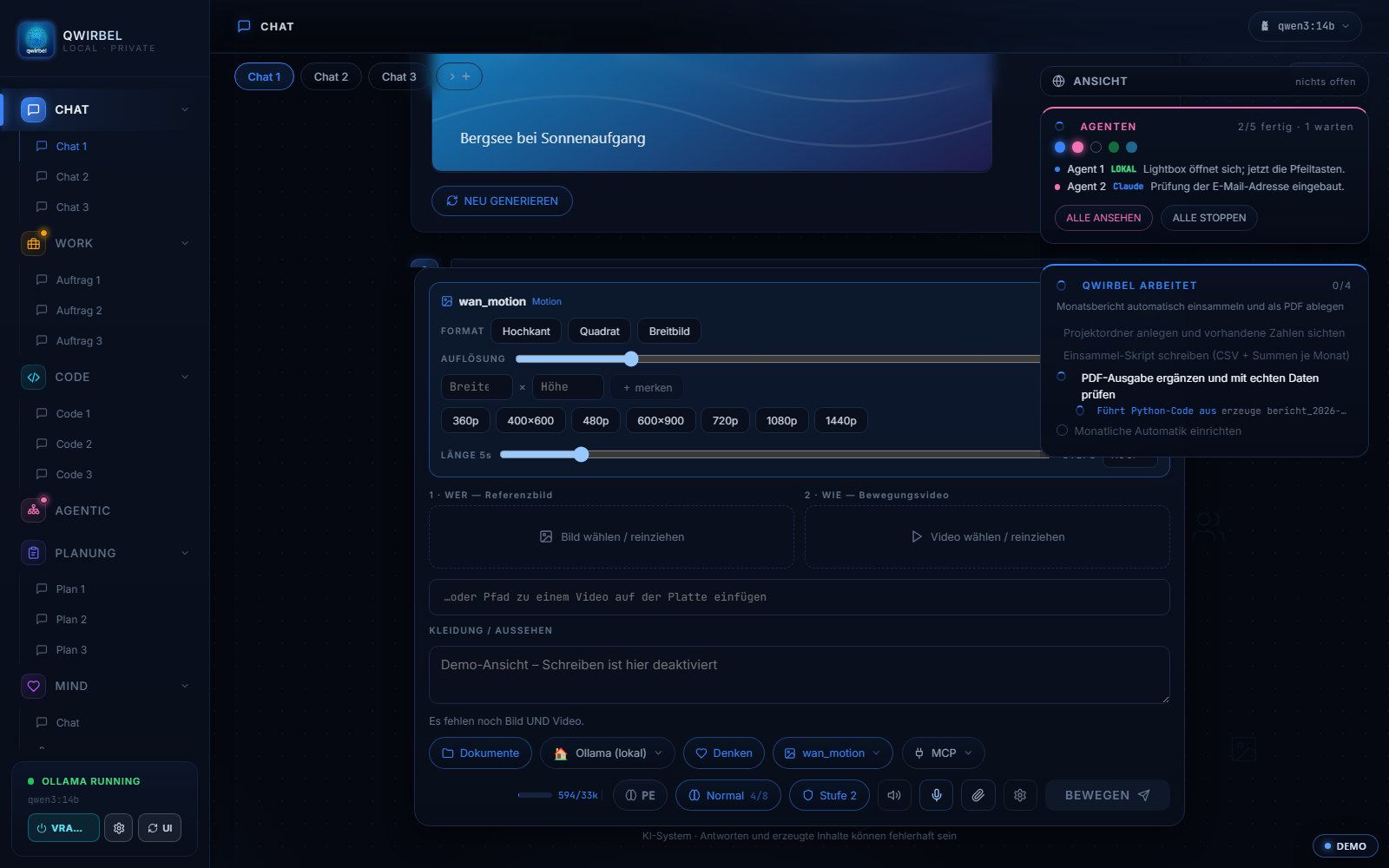
How motion moves from a video onto your subject
Above is what comes out. Here is what the two inputs do and where it can fail.
Two inputs, two roles
The reference image answers "who" – your subject, your figure. The motion video answers "how" – the sequence to be adopted. In the program the two fields are labelled exactly that way, so the assignment is not guesswork.
Which models do the transfer
WAN Animate and VACE are built for it. Both run locally through ComfyUI and appear as their own workflows in the list. As with all video workflows: the filter shows which version fits your card.
Where it can fail
The further your subject differs from the template, the harder the transfer becomes – a motion computed for a human body sits poorly on a completely different shape. A clean, well-lit reference image helps more than a higher resolution.
What you can limit
Resolution, steps, frames per second and length can be fixed. Motion control is one of the more memory-hungry workflows – when a workflow needs a lot of video memory, Qwirbel has warned beforehand since v2.8.0 instead of disappointing you afterwards.
What happens to the files
Reference image, motion video and result stay on your machine. Nothing goes to a service – neither the face in your reference image nor the video the motion came from.
What people ask about this
How is this different from image-to-video?
With image-to-video the model invents the motion itself. With motion control you supply it via a sample video – the result follows that movement.
What hardware do I need?
A GPU with enough memory. The VRAM presets let you adapt resolution, length and frame rate to weaker cards.
Does it work without internet?
Yes. After the one-time activation and downloading the models, Qwirbel works completely offline.
Can I use any video as a template?
Mind the rights to the source video and the subject shown, as well as the model's licence. That is a case-by-case question – we give no legal advice here.
Qwirbel can do this too
All capabilities live in the same application – one purchase, one key.