
Three workspaces –
chat, work and code
Talking, delegating and programming are separate places in Qwirbel. The chat is for talking. In the Work tab an agent handles your job and shows the result. In the Code tab a project grows with a file tree – build, test, finish.
起价 60 € · 一次付清,没有订阅 · 适用于 Windows、Linux 和 macOS
要点
A job, not chat ping-pong
You describe the goal once. The agent plans, reaches for tools, checks itself and comes back when it is done – or genuinely stuck.
Programs with a file tree
In the Code tab you see the project like in an editor: create files, change them, run them. The test run is part of the job, not an extra request.
Several conversations per tab
Every tab has several slots. The moving plan doesn't share a history with the Python script – and a hotkey jumps between them.
You see every step
The task window shows the plan, checkmarks and the tools used with file and result. No vague “something happened”.
A job from start to finish
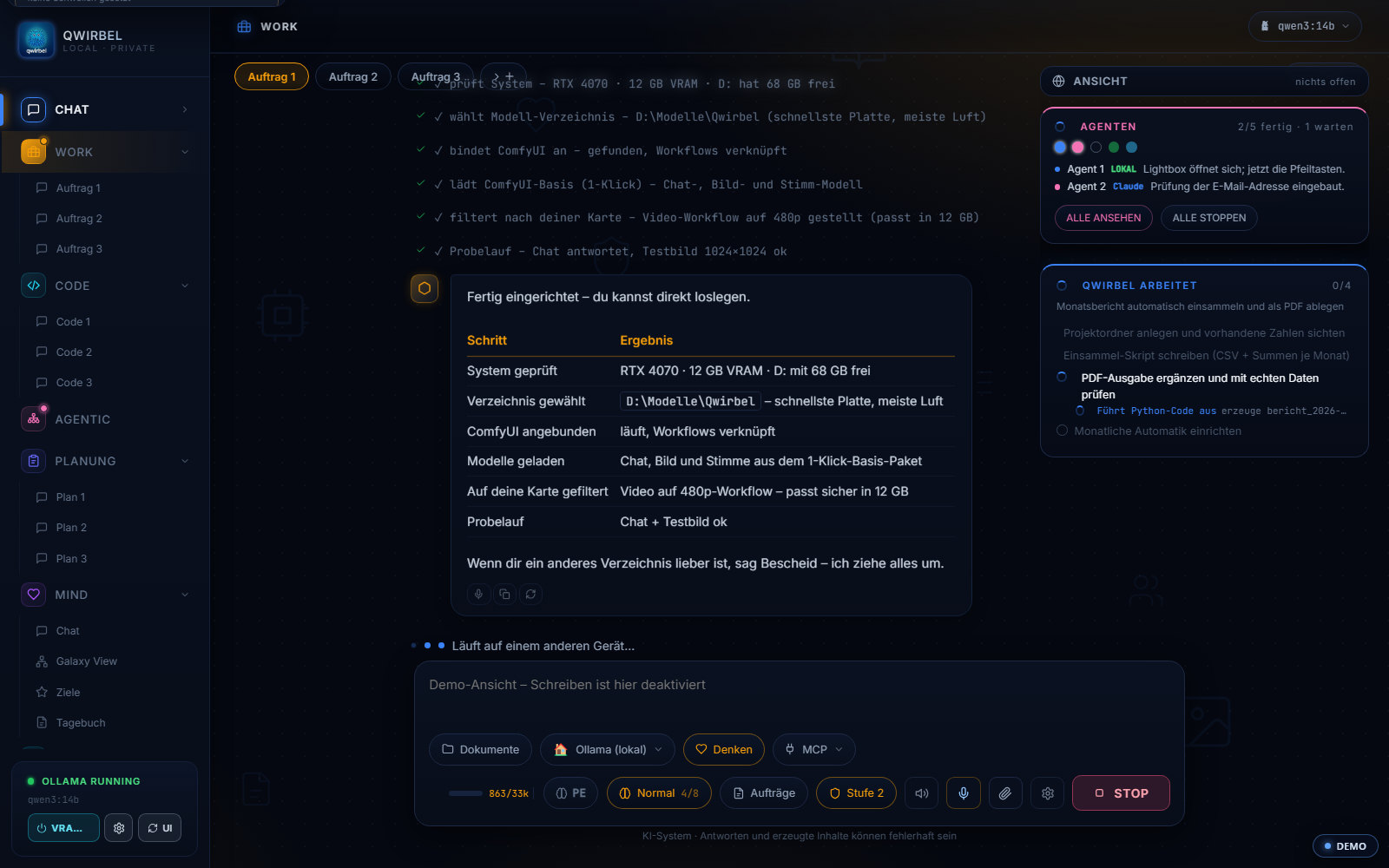
How the code tab works
Above is what it can do. Here is how it verifies, what permissions it has, and how much a local model manages.
Writing is only half the way
The code tab tells the build sequence itself: write it, start it, test it, catch errors, click inside the running program, repair. The difference from a plain chat is the verification – it tests what it wrote instead of just handing it over. If it finds a fault, it goes back into the loop.
How far into the file system it may go
The permission level decides, and the working folder is the boundary. Since v2.8.7 the real path is in the instruction sent to the AI – before that only the word "working folder" was there, so the model duly searched the folders it knew. Up to level 7 the folder you set remains the default, for searching as well.
Is a local model enough for this?
Yes, above a certain size. From about 25 billion parameters a model gets the tools; below 30 billion a shortened core list, because smaller ones otherwise invent calls. And since v2.9.2 there is a separate threshold for MCP tools (default 30 billion) – a small model would otherwise receive a second, foreign tool list on top and get confused.
Several tasks side by side
A swarm in code mode works on several parts at once. Locally two agents make sense, because they share the graphics card; through cloud keys up to six. Each has its own trail and can be stopped and cleaned up individually.
Adding your own tools
An open standard lets you add further tools – access to a ticket system, a database, an in-house service. Installation comes from a vetted list or a source you name yourself; if you like, you write your own.
关于这一点大家会问
What's the difference between chat and work?
The chat talks and explains – it does not act. The Work tab is the place for jobs: tools run there, files are touched there, a result stands at the end. That separation is deliberate, so a conversation never changes something on your disk by accident.
Can it really change files?
Yes, that is what it is built for: read, write, restructure, create folders, launch programs. For risky steps it asks first. What it did appears as tool lines in the task window – traceable, not hidden.
Which languages does it know?
The Code tab is not tied to one language – it works with files, execution and a test run. How good the result gets depends mostly on the chosen model: for serious programming a strong model pays off (local or via key).
Is a local model enough, or do I need an API key?
A local model is enough. In Work and Code, models below 30 billion parameters get a compact core list of around 18 tools instead of the full one – that way they reach for tools reliably instead of failing on the length. From 30 billion upwards, and with cloud providers, the full list is available. So the key is an option, not a requirement.
这真的能离线用吗?
Yes, with local models. After the one-time activation Qwirbel needs no server contact. Only if you deliberately add an external provider or ask for web research does anything leave.
这个 Qwirbel 也能做
所有本领都住在同一个程序里——买一次,一把钥匙。